

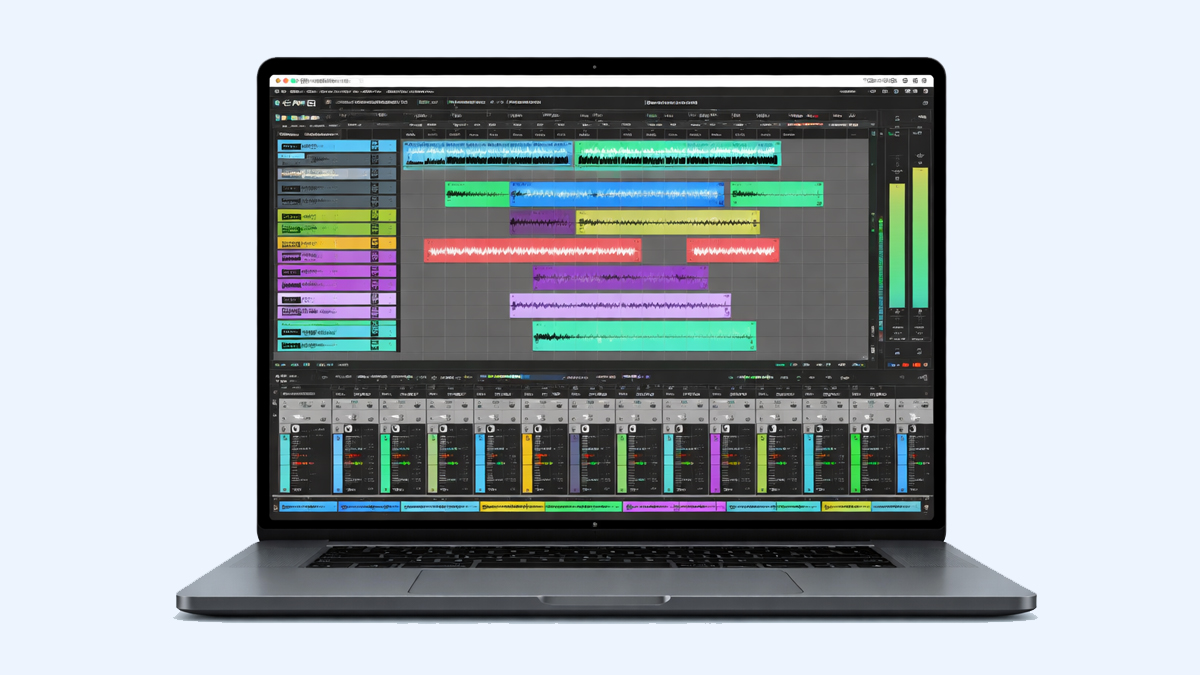
What is Reaper?
Reaper is a Digital Audio Workstation, often called a DAW, used to record, edit, mix, and produce audio. It is built to handle many kinds of music and sound projects, from a simple voice recording to a full album with dozens of tracks. People use Reaper to capture performances, arrange songs, clean and edit audio, add effects, control virtual instruments, and export finished audio in professional formats.
Reaper is popular because it is flexible and lightweight. It can run smoothly on many computers, including systems that are not very new. It also offers deep customization, which means you can shape the software to match your workflow. If you like quick keyboard shortcuts, custom toolbars, or a layout that fits your way of working, Reaper supports that style.
Another reason Reaper is widely used is its strong audio and MIDI capabilities. Audio refers to recorded sound such as vocals, guitars, drums, and field recordings. MIDI refers to musical performance data such as notes, timing, and expression used to control virtual instruments like pianos, synths, and drum machines. Reaper can handle both audio and MIDI inside the same project, which is essential for modern music production.
Reaper is also known for supporting third party plugins and many file formats. Plugins are extra tools that add effects like reverb, compression, EQ, and instruments like synthesizers and samplers. This makes Reaper a practical choice for beginners who want to learn, as well as professionals who want a stable environment for serious production.
How does Reaper Work? Step by Step Guide
Reaper works by letting you build a project session where tracks, audio items, MIDI items, effects, and automation all live together. You can start simple and grow the session as your project becomes bigger.
Step 1: Create a new project
When you open Reaper, you can create a new project and set basic settings. Project settings include sample rate, timebase, and file location for recordings. Sample rate affects audio quality and compatibility. A common choice is 44100 Hz for music, but many people also use 48000 Hz for video work.
Step 2: Set up your audio system
Before recording, you set your audio device in preferences. This includes choosing your audio interface and selecting inputs and outputs. Proper setup ensures low latency, which means you hear sound with minimal delay while recording or playing virtual instruments.
Step 3: Add tracks
In Reaper, tracks are flexible containers. A track can hold audio, MIDI, a folder of subtracks, or a bus for routing. You can add a track, name it, color it, and decide whether it is for recording or for playback.
Step 4: Record audio or import files
To record, you arm a track, choose an input, and press record. To import, you drag audio files into the timeline. Reaper places them as items, which are blocks of audio or MIDI that you can move, cut, and edit.
Step 5: Edit your performance
Editing can include trimming silences, moving parts to correct timing, crossfading between clips, or stretching audio to match tempo. For MIDI, you can open the piano roll to adjust notes, timing, velocity, and expression.
Step 6: Add effects and virtual instruments
You can insert plugins on tracks. Common effects are EQ, compression, reverb, delay, saturation, and noise reduction tools. For MIDI tracks, you insert a virtual instrument plugin to generate sound.
Step 7: Arrange and build the song
You place sections like intro, verse, chorus, and bridge on the timeline. You can duplicate parts, create variations, and manage structure. Reaper supports markers and regions, which help you label and organize sections.
Step 8: Mix the project
Mixing is balancing levels, panning sounds left or right, shaping tone with EQ, controlling dynamics with compression, and adding space with reverb and delay. Reaper offers automation, so you can change volume, effect amount, or panning over time.
Step 9: Master and finalize
Mastering is the final polish of the full mix. You might apply subtle EQ, compression, and limiting on the master track. You ensure the final loudness is appropriate and the sound is consistent across playback systems.
Step 10: Render the final audio
Reaper exports, also called rendering, lets you choose file format, sample rate, bit depth, and output level. You can export a full mix or stems. Stems are separate audio exports for groups like drums, vocals, bass, and instruments.
What are the Components of Reaper?
Reaper includes several core components that work together to make recording and production smooth and organized.
User interface and layout: The interface includes the track control panel, mixer, timeline, transport controls, and various editing views. Reaper supports docking panels, resizing, and custom layouts so you can keep frequently used tools within reach.
Track system: Tracks are the foundation of a project. In Reaper, tracks are not locked into one role. A single track can be an audio track, a MIDI track, a bus, a folder, or a combination depending on routing and plugins.
Timeline and arrange view: The timeline is where you place and edit items. The arrange view shows your song structure over time, including clips, markers, tempo changes, and automation lanes.
Mixer: The mixer is where you manage levels, panning, inserts, sends, and track routing. It helps you see the whole mix and make balancing decisions with clarity.
Media items and takes: Audio and MIDI appear as items on the timeline. Reaper supports multiple takes, which is helpful when recording several attempts of the same part. You can choose the best take or combine takes into a final performance.
Routing and buses: Routing controls how audio flows between tracks. You can send a vocal track to a reverb bus, group drums into a drum bus, or create parallel compression paths. Reaper is known for very flexible routing.
Plugins and effects: Reaper supports popular plugin formats. It also includes its own built in effects, often called ReaPlugs, which cover essential processing like EQ, compression, gating, and reverb.
MIDI tools: MIDI editing includes piano roll, event list, quantization, humanization, and routing to virtual instruments. You can shape performances and create detailed programming for drums and melodies.
Automation: Automation allows changes over time. You can automate volume rides, effect parameters, panning moves, and more. This adds motion and expression to a mix.
Project and media management: Reaper includes tools to organize files, handle recording paths, and keep projects tidy. Good file management prevents missing audio and makes collaboration easier.
Scripting and customization: Reaper supports actions, macros, and scripting so you can build custom workflows. This is useful for repetitive tasks like editing podcasts or preparing stems for delivery.
What are the Types of Reaper?
In the DAW context, types of Reaper can be understood as the different ways it is offered and used. Reaper itself is one application, but it appears in several practical types depending on platform, licensing, and workflow setup.
Platform types: Reaper is commonly used on Windows, macOS, and Linux. This matters because studios and creators choose platforms based on their hardware, plugin needs, and stability preferences.
License types: Reaper is typically available under different licensing categories based on use. A discounted license is aimed at personal use, education, and smaller businesses, while a commercial license is aimed at higher revenue professional use. This structure helps more users access the software while keeping licensing fair.
Installation types: Reaper can be installed in a standard way, and many users also use a portable style setup that keeps settings and configuration in one place. Portable setups are useful for moving between machines or keeping a clean production environment.
Workflow types: Reaper can function as a tracking DAW for recording bands, a mixing environment for editing and balancing multitrack projects, a MIDI production workspace for virtual instruments, or a post production tool for sound design and video audio.
Template based types: Many Reaper users create templates for specific tasks such as podcast editing, vocal recording, film scoring, or live multitrack capture. These templates act like specialized types of Reaper projects built for speed and consistency.
What are the Applications of Reaper?
Reaper is used in many real world scenarios across music and audio work. Its flexibility makes it a practical choice for both creative and technical jobs.
Music recording: Reaper is used to record vocals, guitars, drums, and full bands. It supports multitrack recording with stable performance, which is essential for capturing live sessions.
Songwriting and arranging: Producers use Reaper to build songs by layering audio and MIDI, creating chord progressions, programming drums, and arranging sections into a complete structure.
Beat making and electronic production: With virtual instruments and MIDI editing, Reaper can be used for electronic music, hip hop, house, and many other styles that depend on programming and sound design.
Mixing and stem preparation: Mix engineers use Reaper to balance sessions, apply effects, automate changes, and export deliverables. Reaper can render stems and alternate versions such as instrumental, acapella, and radio edits.
Podcast production: Reaper is widely used for podcasts because it supports efficient editing, noise reduction workflows through plugins, loudness control with metering, and fast batch rendering.
Sound design: Reaper can be used to edit and manipulate audio for sound effects, games, and creative projects. Time stretching, pitch shifting, item based effects, and routing all help sound design work.
Video and post production: Reaper supports working with video playback in the timeline, which helps when you need to sync dialogue, music, and sound effects to picture.
Live recording and rehearsal capture: Reaper is used to record rehearsals or live shows using an audio interface with multiple inputs. This can be useful for bands who want to review performances or release live content.
Education and training: Because it is affordable and flexible, Reaper is used to teach recording, editing, and mixing concepts in home studios and classrooms.
What is the Role of Reaper in Music Industry?
Reaper plays an important role in the music industry because it makes professional production accessible and adaptable. Not every musician has access to expensive studio environments. Reaper supports high quality production on a wide range of computers, which helps independent artists create release ready music without needing a large budget.
Home studio production: Many modern releases start in home studios. Reaper supports that reality by providing strong recording, editing, and mixing tools in one place. Artists can record vocals, instruments, and MIDI arrangements, then mix and export their tracks for streaming platforms.
Collaboration and delivery: Producers and engineers often exchange project files, stems, and mixes. Reaper can export stems efficiently, which makes remote collaboration easier. Even if collaborators use different DAWs, stems provide a universal way to share work.
Efficiency for professionals: Many professionals choose Reaper because it can be customized for speed. In commercial work, time matters. Reaper actions, macros, and templates help engineers edit faster, especially for repetitive jobs like dialogue editing and podcast production.
Support for diverse genres: Reaper is used across rock, pop, metal, orchestral, electronic, and experimental music because it does not force one specific workflow. It supports both traditional recording and modern MIDI driven production.
Bridge between music and audio industries: Reaper is also used in post production, sound design, and media work. This makes it a strong bridge tool for creators who work in music but also deliver content for video, advertising, and games.
What are the Objectives of Reaper?
The objectives of Reaper can be understood as what it aims to help users achieve in audio production and why it is designed the way it is.
Audio creation and capture: One key objective is to provide a reliable environment for recording and capturing audio with clean signal flow and stable performance.
Editing and precision: Reaper aims to make editing accurate and efficient. This includes quick splitting, trimming, crossfading, and detailed control over timing and pitch workflows through tools and plugins.
Flexible production workflow: Reaper is built to adapt to different workflows. Whether you create music with live instruments, MIDI programming, or both, Reaper supports a wide range of production styles.
High quality mixing and routing: Another objective is to enable professional mixing with strong routing options. Routing flexibility helps users build advanced mixes with buses, parallel effects, and complex signal chains.
Customization and automation: Reaper is designed for users who want control. Custom actions, scripts, and automation allow users to build a workflow that matches their habits and project needs.
Efficiency and performance: Reaper aims to be efficient in CPU and memory usage, so large projects can run on many systems. This objective supports long sessions and heavy plugin use.
Accessible professional tools: Reaper also aims to keep professional features within reach for individuals, small studios, educators, and independent creators.
What are the Benefits of Reaper?
Reaper offers several benefits that matter to beginners, intermediate users, and professionals.
Affordable access: Reaper is often praised for being budget friendly compared to many other DAWs. This helps new creators start producing without a large upfront investment.
Lightweight and stable: Many users report that Reaper runs smoothly even on modest computers. This stability is valuable during recording sessions where crashes or glitches can ruin takes.
Flexible track design: Tracks in Reaper can serve many roles, which reduces limitations. You can build complex routing without needing separate track types.
Deep customization: You can customize shortcuts, menus, toolbars, themes, and workflows. This helps you work faster and reduces friction during creative sessions.
Strong editing tools: Reaper offers fast editing and detailed control. This is useful for tightening performances, cleaning dialogue, and building polished productions.
Powerful routing: Routing is one of Reaper strongest benefits. You can create buses, sends, parallel chains, and multi output instrument setups with ease.
Wide plugin support: Reaper supports many plugin formats, and it works well with third party effects and instruments. This makes it easy to build a production environment that fits your sound.
Scalable for many projects: Reaper can handle simple two track recordings and large sessions with many tracks. This scalability makes it suitable for a long term learning path.
What are the Features of Reaper?
Reaper includes features that support modern music creation and professional audio work.
Multitrack recording: You can record many tracks at once, which is crucial for drums, bands, and live sessions.
Non destructive editing: Edits do not permanently destroy the original audio file. You can experiment freely and always adjust edits later.
Advanced time and pitch tools: Reaper supports time stretching and pitch shifting. This helps match performances to tempo or correct tuning issues using appropriate tools and plugins.
Comping workflows: With takes and lanes, you can record multiple attempts and combine the best parts into one final performance.
Automation system: You can automate track volume, panning, plugin parameters, and sends. Automation allows dynamic mixes and creative effects.
Flexible routing and channel counts: Tracks can handle multiple channels. This supports advanced mixing and multi output instruments.
Folder tracks and grouping: You can organize sessions with folders and groups. This improves clarity in large projects and makes mixing faster.
Built in effects suite: Reaper includes a set of reliable plugins for mixing basics such as EQ, compression, gate, and delay. These tools help users start without needing to buy plugins immediately.
Scripting and actions: You can create custom actions and scripts to speed up work. This is especially helpful for editing heavy tasks like podcasts and dialogue cleanup.
Rendering options: Reaper supports many export options including stems, regions, and batch rendering. This helps deliver content in professional formats for clients and distribution.
What are the Examples of Reaper?
Reaper is best understood by seeing realistic examples of how people use it.
Example of recording a singer songwriter: A musician sets up two tracks, one for vocals and one for acoustic guitar. They record multiple takes, choose the best parts, apply gentle EQ and compression, add reverb for space, and render a final mix for release.
Example of producing an electronic track: A producer creates MIDI tracks for drums, bass, and synths using virtual instruments. They program rhythms in the piano roll, automate filter movement for energy, add delay and reverb, and export the track for streaming.
Example of mixing a band session: An engineer imports multitrack drums, bass, guitars, vocals, and backing vocals. They route drums to a drum bus, apply parallel compression, shape tone with EQ, automate vocal levels for clarity, and export both a full mix and stems.
Example of podcast editing: A podcaster imports voice tracks from two speakers. They cut out long pauses, reduce noise with plugins, apply EQ for clarity, compress for consistent loudness, and render the final episode in a distribution friendly format.
Example of video audio work: A creator loads a video into Reaper, aligns dialogue to picture, adds sound effects, places background music, automates volume to avoid masking speech, and exports the final audio mix for the video.
Example of live multitrack recording: A band connects an audio interface with multiple inputs, arms many tracks in Reaper, records a rehearsal, then later edits and mixes the best performance into a live demo.
What is the Definition of Reaper?
Reaper can be defined as a computer based Digital Audio Workstation used for audio recording, editing, mixing, and production. It is an application that lets you manage multiple tracks of sound and MIDI data inside one project, apply effects and instruments through plugins, automate changes over time, and export finished audio for listening, distribution, or further production.
In simpler words, Reaper is a complete software environment for turning raw recordings and musical ideas into a finished piece of music or audio content.
What is the Meaning of Reaper?
The meaning of Reaper in the music tools context is practical rather than symbolic. It refers to a flexible production platform that helps creators build professional audio projects. When someone says they work in Reaper, they usually mean they use it as their main workspace for tasks like recording vocals, editing performances, mixing tracks, designing sound, or producing podcasts.
Reaper also carries the meaning of efficiency and control for many users. It is often chosen by people who want a DAW that can be shaped around their workflow instead of forcing a fixed method of working. This meaning matters because music production is both creative and technical, and different people think and work in different ways.
What is the Future of Reaper?
The future of Reaper is likely to continue along the path that made it popular: flexibility, performance efficiency, and user driven workflows. While no one can predict every detail, you can expect several directions based on how the audio industry is evolving.
Workflow refinement and speed: As creators produce more content, faster editing and delivery become more important. Reaper is well suited for this because templates, actions, and scripts can keep improving. Future updates may continue to focus on smoother workflows for editing heavy tasks like podcasts, dialogue, and content creation.
Improved collaboration methods: Remote collaboration is common in modern production. Many creators exchange stems, project notes, and versions across the internet. Tools that make collaboration simpler, such as better project portability and organized media management, are likely to remain valuable areas for growth.
Immersive and multichannel audio: More content is being mixed in surround and immersive formats. Reaper already supports flexible channel routing, which is an advantage. As immersive audio becomes more common, users may expect stronger workflows for multichannel projects, monitoring, and delivery standards.
Plugin and instrument ecosystems: Producers depend heavily on third party plugins and virtual instruments. Reaper future will likely continue supporting broad plugin compatibility and stable performance with heavy sessions. This matters as instruments become more detailed and CPU intensive.
Smarter editing assistance: Many creative tools are exploring intelligent features that reduce repetitive work. While the exact form can vary, features that help with editing decisions, organization, and cleanup can become more common across DAWs. Reaper community driven scripting culture could also play a role in expanding smarter tools.
Continued focus on accessibility: More musicians are learning production at home. A DAW that stays efficient, affordable, and customizable can remain attractive. Reaper future strength may continue to be giving advanced tools without demanding expensive hardware.
Summary
- Reaper is a Digital Audio Workstation used for recording, editing, mixing, and producing audio and MIDI projects.
- It works through a project timeline where you add tracks, record or import media, edit items, apply plugins, automate changes, and render final exports.
- Core components include tracks, the arrange view, mixer, routing system, plugins, MIDI tools, automation, and project management features.
- Types of Reaper can be understood through platform use, license categories, installation styles, and workflow templates built for specific tasks.
- Reaper is applied in music production, podcast editing, sound design, post production, live recording, and education.
- Its role in the music industry is to provide a flexible and accessible professional tool for both independent creators and working professionals.
- Objectives include reliable recording, precise editing, flexible workflows, strong routing, customization, and efficient performance.
- Benefits include affordability, stability, deep customization, strong editing, powerful routing, and wide plugin support.
- Features include multitrack recording, non destructive editing, comping, automation, folder tracks, advanced routing, and versatile rendering options.
- Examples include singer songwriter recording, electronic production, band mixing, podcast production, video audio syncing, and live multitrack capture.
- Reaper can be defined as a complete software environment for creating and finishing professional audio projects.
- The meaning of Reaper in music tools is a flexible workspace that supports efficient, user shaped production.
- The future of Reaper is likely to focus on workflow speed, collaboration needs, multichannel audio, stable plugin support, and smarter assistance features.

