

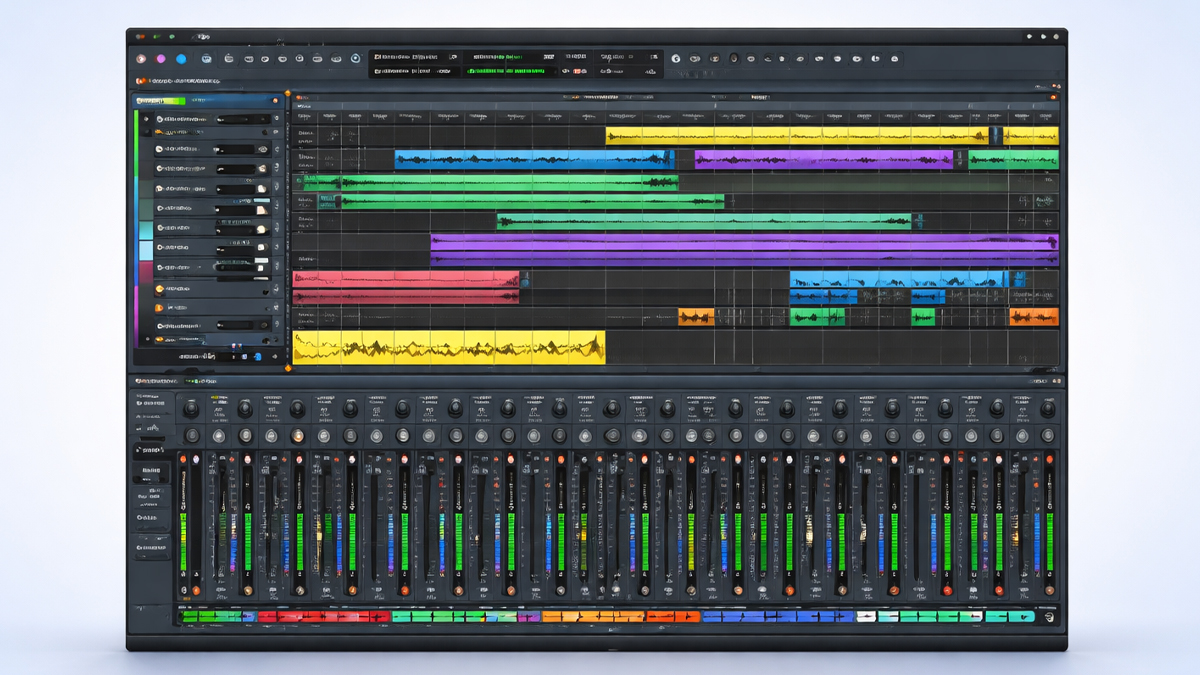
What is Ardour?
Ardour is a digital audio workstation that helps people record, edit, arrange, mix, and master audio and music projects on a computer. It is widely known as a professional, open source DAW that supports high quality audio workflows for musicians, producers, podcasters, engineers, and sound designers. Ardour can handle simple tasks like recording a single voice track, and it can also manage complex sessions with many tracks, plugins, buses, automation, and detailed routing.
Core idea: Ardour is designed to behave like a full studio environment inside your computer, where you can capture sound, shape it with effects, and produce a finished result that is ready for release or broadcast.
Because it is available on major desktop platforms and often used in Linux based studios, Ardour is frequently chosen by creators who value control, flexibility, and transparent audio engineering workflows. It supports non destructive editing, meaning you can change and rearrange audio without permanently damaging the original recordings. It also supports professional file formats and common plugin standards, which makes it practical for real production work.
User experience focus: Ardour gives you a timeline based workspace for arranging audio and MIDI, a mixer for balancing and processing tracks, and a routing system for building signal flows similar to a hardware studio.
Ardour is a music production and audio engineering tool that can take a project from the first recording to the final export, with deep editing and mixing power for users who want precision and reliability.
How does Ardour Work? Step by Step Guide
Ardour works by organizing your audio and MIDI into a session, then letting you record and edit material on tracks, process it through plugins and routing, and finally export the finished mix. The steps below describe a typical workflow from start to finish.
Session setup: You begin by creating a new session, choosing sample rate and other audio settings, and selecting your audio interface for input and output. This step ensures Ardour is aligned with your hardware and the technical quality you want for the project.
Track creation: You add tracks based on what you plan to record or program. You can create audio tracks for microphones and instruments, and MIDI tracks for virtual instruments or external MIDI devices. You can also create buses for grouping and processing multiple tracks together.
Input routing: You assign inputs so the correct microphone or instrument enters the correct track. If you use an audio interface, you map its inputs to Ardour tracks. This is similar to plugging cables into a mixing console, except you do it inside the software.
Recording: You arm the tracks you want to record and start the transport. Ardour captures your performance into regions on the timeline. You can record multiple takes, layer parts, or record a whole band using multiple inputs at the same time.
Editing: After recording, you clean and shape your material. You can trim regions, split them, move them, crossfade transitions, and correct timing. Because editing is non destructive, you can always adjust your choices later.
Arrangement: You place audio and MIDI parts into a musical structure such as intro, verse, chorus, and bridge. You can copy sections, create variations, and build a complete song or program segment on the timeline.
Processing and mixing: In the mixer, you balance levels, pan instruments, and apply plugins such as EQ, compression, reverb, delay, and saturation. You can route tracks into buses, create parallel processing chains, and build headphone mixes.
Automation: You add movement to the mix by automating faders, panning, plugin parameters, and mutes. This is how you create dynamic builds, smooth transitions, and clear focus for vocals or lead instruments during key moments.
Monitoring and revision: You listen carefully, compare sections, adjust tones, and refine balances. Ardour supports accurate metering, which helps you manage loudness and avoid clipping.
Export: When the mix is ready, you export the session to a stereo file or multiple stems. You choose format, sample rate, and bit depth depending on where the audio will be used, such as streaming, video, or mastering.
Workflow principle: Ardour follows the traditional studio process, but it gives you modern editing power and flexible routing so you can build almost any production approach you need.
What are the Components of Ardour?
Ardour is built from several key parts that work together to support recording, editing, and mixing. Understanding these components helps you move faster and make better decisions inside a session.
Session and project structure: A session is the container for everything, including tracks, audio files, MIDI data, plugin settings, routing, and automation. It is the central unit of work in Ardour.
Timeline and editor: The editor is where you arrange and edit regions on tracks. It includes tools for trimming, splitting, stretching, nudging, and crossfading. It also contains markers, tempo changes, and grid controls to support musical timing.
Tracks: Tracks hold audio or MIDI. Audio tracks contain recorded waveforms and regions. MIDI tracks contain note data that can trigger virtual instruments or external gear.
Regions and clips: A region is a piece of audio or MIDI placed on the timeline. You can move regions, loop them, duplicate them, and edit their boundaries.
Mixer: The mixer is where you control volume, pan, inserts, sends, and bus routing. It resembles a hardware mixing console and is essential for building a professional mix.
Buses: Buses are shared channels for routing and processing. You can use a bus for reverb, drum groups, vocal groups, or the main mix bus.
Routing and patching: Ardour provides a flexible routing matrix so you can connect signals between tracks, buses, hardware inputs, and hardware outputs. This is one of the strongest aspects of Ardour for advanced workflows.
Plugins and processing: Ardour supports effect plugins and instrument plugins depending on platform and configuration. Plugins shape tone, dynamics, space, and character.
Automation lanes: Automation allows parameters to change over time. Ardour can automate volume, panning, plugin controls, and other mix elements for a polished final result.
Transport controls: Transport includes play, stop, record, loop, punch in and out, and navigation. These controls are used constantly during recording and editing.
Meters and monitoring tools: Ardour includes level meters, peak indicators, and other monitoring features that help you manage gain and loudness.
Core components summary: The editor builds the arrangement, the mixer shapes the sound, routing defines the signal flow, and the session stores everything so the project can grow from idea to finished production.
What are the Types of Ardour?
Ardour can be understood in types based on how it is used, how projects are structured, and what production role it plays for different creators. These types are not separate products, but practical categories of use.
Audio recording focused Ardour: This type is used like a traditional multitrack recorder. The session is built around microphones, instruments, and live recording. Common examples include band tracking, voice recording, and acoustic sessions.
MIDI composition focused Ardour: This type emphasizes MIDI tracks, virtual instruments, and programmed parts. The user spends more time editing note data, building patterns, and shaping instruments through plugin chains.
Mixing and post production Ardour: This type uses Ardour primarily as a mixing environment. Audio may be imported from other sources, then routed, processed, automated, and exported for final delivery.
Podcast and spoken word Ardour: This type focuses on dialogue editing, noise management, loudness control, and consistent voice tone. Sessions often include voice tracks, music beds, sound effects, and markers for sections.
Live capture and concert Ardour: This type is used for recording live shows with multiple inputs. The goal is stable capture, then later editing and mixing for release.
Education and training Ardour: This type appears in classrooms and self learning, where Ardour becomes a teaching tool for signal flow, editing fundamentals, and mixing concepts.
Type perspective: Ardour is flexible enough that its type is defined by your workflow. The same tools can serve music production, audio engineering, and content creation with only changes in session design and priorities.
What are the Applications of Ardour?
Ardour can be applied to many real world audio tasks across music, media, and education. Its value comes from combining detailed editing with professional mixing and routing.
Music production: Ardour is used to create songs from scratch, record vocals and instruments, arrange sections, and mix to a final master. It supports both simple and complex productions.
Multitrack recording: You can record many channels at once, which is helpful for bands, drums, ensembles, or live sessions. With a suitable audio interface, Ardour becomes a reliable recorder.
Audio editing and cleanup: Ardour is useful for cutting mistakes, removing noise sections, aligning timing, and building smooth transitions. Crossfades and region based editing make this process efficient.
Mixing and automation: Ardour supports detailed mixing, including grouping, bus processing, sends, and automation. This is essential for creating professional balances and movement in a mix.
Sound design: You can build sound effects layers, process audio creatively with plugins, and create textures for games, video, or experimental music.
Film and video post: Ardour can be used to edit dialogue, add sound effects, place music cues, and export audio for video timelines. Routing and automation help manage complex scenes.
Podcast production: Ardour can assemble episodes with intros, segments, interviews, and ads. Processing chains and loudness focused workflows can improve clarity and consistency.
Live recording archiving: Ardour is practical for capturing events and archiving them with clean edits and proper leveling for future use.
Educational labs: Ardour is often used to teach audio fundamentals such as gain staging, EQ, compression, and routing because the interface reflects classic studio concepts.
Application insight: Ardour fits best when you want detailed control over audio, especially for editing, mixing, and routing, rather than a simplified beginner only workflow.
What is the Role of Ardour in Music Industry?
Ardour plays an important role in the music industry by offering a serious production environment that can be used in home studios, independent studios, educational institutions, and professional projects. Its open source nature also influences how people learn and collaborate.
Accessible professional production: Ardour provides advanced features without requiring expensive proprietary systems. This helps independent artists, small studios, and learners access professional workflows.
Studio grade routing and mixing: Many industry tasks depend on proper routing, bus processing, and automation. Ardour supports these practices in a way that matches real studio logic, which makes skills transferable.
Integration with audio ecosystems: Ardour can fit into a broader studio setup with audio interfaces, control surfaces, and plugin chains. It can also exchange audio files with other tools through common export formats.
Support for Linux based studios: In many environments where Linux is preferred for stability, customization, or cost control, Ardour is a major DAW option. This creates an ecosystem where studios can work with open tools while maintaining professional standards.
Training and skill development: Because Ardour reflects traditional recording and mixing concepts, it is used as a learning platform. Skills learned in Ardour such as editing, signal flow, and automation apply widely across the industry.
Independent and community driven innovation: Ardour benefits from community feedback and developer contributions. This model supports steady improvements and encourages transparent development practices.
Ardour supports professional audio production and learning, strengthens independent music creation, and offers a flexible platform that aligns closely with established studio methods.
What are the Objectives of Ardour?
Ardour is built with clear objectives that guide its design and features. These objectives focus on quality, control, and practical production workflows.
High fidelity audio production: Ardour aims to support professional sound quality, stable recording, and accurate playback. This includes working at standard professional sample rates and bit depths.
Efficient multitrack workflows: Ardour is designed to manage many tracks, takes, and edits without turning the process into chaos. The objective is to keep complex sessions organized and manageable.
Non destructive editing: Ardour prioritizes editing flexibility so creators can experiment without fear. This supports creative exploration and fast revision when clients or collaborators request changes.
Professional mixing capabilities: Ardour seeks to provide a true mixing environment with buses, inserts, sends, automation, and metering, so final mixes can meet industry expectations.
Flexible routing and signal flow: Another core objective is routing power. Ardour wants users to build any signal path they can imagine, from simple vocal chains to complex parallel processing.
Workflow transparency: Ardour is designed to make signal flow and session structure understandable. Clear routing, visible plugin chains, and logical mixer layouts help users maintain control.
Cross platform availability: Ardour aims to be usable across major desktop systems, which supports different studio environments and user preferences.
Community driven sustainability: As an open source project, Ardour also aims for long term sustainability through community support, donations, and transparent development.
Objective focus: Ardour exists to give creators a reliable, professional DAW that emphasizes control, audio integrity, and studio style workflows.
What are the Benefits of Ardour?
Ardour offers practical benefits for creators who want a serious DAW that supports detailed work without locking them into a restricted workflow.
Cost efficiency for professional work: Many users can access Ardour without high upfront costs compared to some commercial DAWs, making it attractive for independent creators and small studios.
Strong editing tools: Ardour provides precise editing features such as splitting, trimming, crossfading, and region manipulation, which helps improve performances and tighten arrangements.
Mixer and routing depth: The ability to build buses, sends, and advanced routing can improve mix quality and speed up complex processing tasks.
Scalable for simple to complex projects: Ardour can handle a quick voice recording session, and it can also manage large multitrack productions with many plugin chains and automation moves.
Non destructive workflow supports creativity: You can experiment freely, try new arrangements, and test processing ideas while keeping original recordings safe.
Good fit for learning real studio concepts: Because Ardour resembles classic studio layouts and signal flow, it teaches skills that translate well to other DAWs and hardware studios.
Customization and community support: Users often benefit from community knowledge, documentation, and shared workflows, especially in open source audio spaces.
Professional export options: Ardour supports exporting full mixes and stems, which helps when delivering to mastering engineers, video editors, or clients.
Benefit takeaway: Ardour is beneficial when you value control, precision, and a studio like approach, and you want a DAW that can grow with your skills.
What are the Features of Ardour?
Ardour includes many features that support professional recording, editing, and mixing. The list below is explained in a practical, easy to understand way.
Multitrack recording: Ardour can record multiple inputs at the same time, which is essential for bands, drums, and live sessions.
Advanced editing: You can cut and move regions quickly, create crossfades, time align parts, and comp takes into a polished performance.
Mixer console workflow: Ardour includes a full mixer with channel strips, inserts, sends, panning, and grouping. This supports professional balancing and processing.
Bus routing and submixing: You can route tracks into buses for group processing such as drum bus compression, vocal bus EQ, or instrument group saturation.
Plugin support: Ardour supports using audio effects and, in many setups, instruments through common plugin standards. This enables a modern production workflow with EQ, compression, reverb, and creative sound shaping.
Automation: You can automate levels, panning, and plugin parameters. Automation helps build excitement, maintain clarity, and create professional transitions.
Tempo and time management: Ardour can handle tempo mapping, meter changes, markers, and grid snapping, which helps when aligning edits to musical timing.
Monitoring and metering: Accurate meters help you avoid clipping, manage gain staging, and maintain consistent loudness.
Session organization tools: You can color tracks, name elements clearly, group related channels, and use markers. These features reduce confusion in large projects.
Export and stem delivery: Ardour can export a stereo mix or multiple stems, which is critical for collaboration and professional delivery.
Feature perspective: Ardour focuses on the core needs of recording and mixing while offering the deep routing and editing tools that advanced users expect.
What are the Examples of Ardour?
Ardour can be understood better through examples of real projects and workflows where it is commonly used. These examples show how Ardour fits into different creative goals.
Example of a band recording session: A rock band records drums on multiple microphones, bass through a direct input, guitars through amps, and vocals on separate tracks. Ardour captures all inputs, then the engineer edits timing, comp vocals, and mixes through buses for drums, guitars, and vocals.
Example of a singer songwriter production: A musician records acoustic guitar and vocals, adds MIDI drums and a virtual bass line, then uses EQ and compression to balance the mix. Automation lifts the chorus vocals and adds reverb throws at key words.
Example of a podcast episode: A host records voice tracks, imports an interview, adds intro music and sound effects, and uses processing to improve clarity. The final export is normalized for consistent listening volume.
Example of film dialogue cleanup: Dialogue clips are imported, noise gaps are trimmed, crossfades are added, and equalization improves intelligibility. Automation smooths levels across scenes so the dialogue stays consistent.
Example of live concert capture: Multiple channels from the venue mixer are recorded. Later, the engineer balances the crowd microphones with the main mix, adds gentle compression, and exports a concert recording for distribution.
Example insight: These examples show Ardour as a flexible production environment that can serve music creation, media production, and professional editing tasks.
What is the Definition of Ardour?
Ardour can be defined as a digital audio workstation that provides tools for recording, editing, arranging, mixing, and exporting audio and MIDI within a session based production environment. It is intended for professional quality audio work, offering multitrack capability, plugin processing, automation, and flexible routing.
Ardour is both a creative tool and an engineering tool, because it supports artistic arrangement decisions and technical mixing decisions in the same workspace.
What is the Meaning of Ardour?
In the context of music tools and the music industry, the meaning of Ardour is the practical value it represents for creators. Ardour means an environment where audio production can be done with precision, control, and a studio like workflow, often with an emphasis on openness and community driven development.
Meaning for creators: Ardour often represents independence and flexibility. It allows musicians and engineers to build a complete production pipeline without being limited to a simple or locked interface.
Meaning for learning: Ardour also means skill building, because it exposes routing, mixing, and editing concepts that match how professional studios think about sound.
What is the Future of Ardour?
The future of Ardour is shaped by ongoing audio industry needs, user expectations, and the continued development of open source creative tools. While specific changes depend on development priorities, several directions are likely based on how DAWs evolve and what users commonly request.
Workflow refinement: Many DAWs move toward smoother workflows, clearer session management, and faster editing tools. Ardour is likely to continue improving usability while keeping advanced control available.
MIDI and composition growth: As more producers rely on hybrid workflows that combine audio recording and MIDI production, Ardour can continue expanding MIDI editing convenience, instrument handling, and creative composition features.
Plugin ecosystem and compatibility: The broader plugin world keeps evolving. Ardour is likely to keep strengthening plugin handling, stability, and performance so modern effects and instruments remain practical in daily work.
Performance and stability improvements: Professional users value reliability. Future work often focuses on reducing glitches, improving CPU efficiency, and supporting larger sessions with more tracks and processing.
Better collaboration patterns: Audio production increasingly involves remote collaboration and stem based workflows. Ardour may continue improving export, import, session portability, and organization tools that make collaboration easier.
Integration with modern hardware: Control surfaces, audio interfaces, and studio controllers continue to expand. Ardour can keep improving hardware integration and user mapping so hands on mixing and recording feels natural.
Future outlook: Ardour is likely to remain a strong option for creators who want professional routing and mixing depth, and it can continue evolving to support modern production habits while preserving its studio style foundation.
Summary
- Ardour is a digital audio workstation used for recording, editing, arranging, mixing, and exporting audio and MIDI in professional workflows
- Ardour works through a session based process that includes setup, track creation, recording, editing, mixing, automation, and export
- Key components include the session, editor timeline, tracks, regions, mixer, buses, routing, plugins, automation, and metering tools
- Ardour can be used for music production, multitrack recording, sound design, podcast creation, live capture, and post production tasks
- Ardour plays a role in the music industry by supporting accessible professional production, studio style routing, and transferable engineering skills
- Ardour objectives focus on high quality audio, efficient multitrack workflow, non destructive editing, professional mixing, and flexible signal flow
- Ardour benefits include deep editing, advanced routing, scalable sessions, creative freedom, and professional export options
- Ardour features include multitrack recording, advanced editing, a full mixer workflow, bus processing, automation, and session organization tools
- The future of Ardour is likely to include continued workflow improvements, stronger MIDI support, better performance, and evolving compatibility needs

