

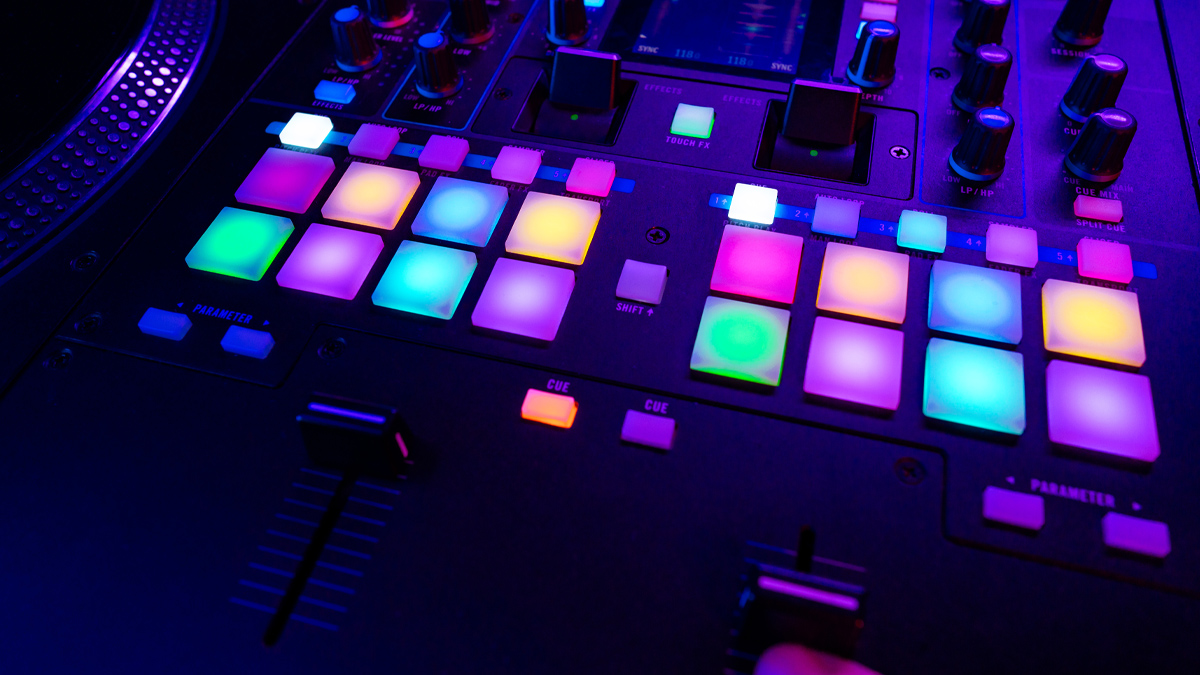
What is Control Surface?
Control Surface is a hardware device used to control music software, digital audio workstations, virtual instruments, mixers, and recording functions through physical controls such as faders, knobs, buttons, encoders, transport keys, and touch sensitive elements. In the area of MIDI Controllers under Music Electronics in the Music Industry, a Control Surface acts as a bridge between the human hand and the digital production environment.
Basic idea: A Control Surface gives musicians, producers, recording engineers, and live performers the ability to interact with software in a more natural and tactile way. Instead of using only a mouse and computer keyboard, a user can move a real fader to adjust volume, turn a knob to change filter cutoff, press a button to arm a track, or use transport controls to start and stop playback.
Practical importance: In modern music production, many creative and technical tasks happen inside a computer. While software is powerful, using a mouse for every action can feel slow and less expressive. A Control Surface improves workflow by bringing physical movement back into the creative process. This makes it easier to record automation, shape sound in real time, and control multiple functions with speed and precision.
Industry context: Control Surfaces are often classified under MIDI Controllers because many of them send MIDI messages or MIDI based control data to connected systems. Some advanced models also use USB, Ethernet, proprietary protocols, or hybrid communication systems, but their core purpose remains the same, which is hands on control of music and audio functions.
How does Control Surface Work?
Working principle: A Control Surface works by sending control information from its physical interface to a software or hardware system. When a user moves a fader, rotates a knob, presses a pad, or touches a control strip, the device converts that physical action into digital data. That data is transmitted to a computer, synthesizer, mixer, or recording device.
Signal translation: In many cases, the Control Surface sends MIDI Control Change data, Note messages, Program Change messages, or more advanced protocol commands. The receiving software interprets that data and links it to a specific function. For example, fader one may be mapped to track one volume, while a knob may control pan or plugin parameters.
Software interaction: Once connected to a digital audio workstation such as Ableton Live, Logic Pro, Cubase, Pro Tools, FL Studio, or Studio One, the Control Surface can operate as an external command center. Some devices use automatic mapping so that controls instantly match common software functions. Others allow manual assignment, which gives the user more customization.
Real time response: One of the biggest strengths of a Control Surface is its real time performance. If a user moves multiple faders during a mix, the software responds immediately. This allows for live automation recording, dynamic performance control, and more musical handling of sound changes.
Feedback loop: Many professional Control Surfaces provide visual or physical feedback through LED rings, motorized faders, display screens, touch strips, or backlit buttons. This feedback helps the user understand current values and active functions without always looking at the computer screen.
What are the Components of Control Surface?
Faders: Faders are sliding controls used mainly for volume, send levels, and other continuous parameters. They are essential in mixing tasks and are often found in channel based layouts.
Knobs and encoders: Knobs are rotary controls used for pan, equalization, effect amounts, and instrument parameters. Standard knobs turn within a fixed range, while endless encoders rotate continuously and are useful for flexible parameter control.
Buttons: Buttons handle on and off commands or trigger actions such as mute, solo, record arm, play, stop, loop, bank selection, and track selection. Backlit buttons improve visibility and status awareness.
Transport controls: These are dedicated buttons for play, stop, pause, rewind, fast forward, loop, and record. They give direct access to session navigation and recording control.
Display section: Many Control Surfaces include screens or display strips that show track names, parameter values, time position, automation status, and mode settings. This improves workflow and reduces screen dependency.
Pads or trigger zones: Some Control Surfaces include pads for launching clips, triggering samples, entering notes, or controlling performance functions. This is common in hybrid controller designs.
Connectivity ports: USB is the most common connection type, but some Control Surfaces also include MIDI In, MIDI Out, Ethernet, footswitch input, expression pedal input, and power connections.
Build frame: The outer body, panel layout, and physical construction matter greatly. A strong frame, ergonomic spacing, and reliable components are important for studio and stage use.
Software integration layer: Although not a visible hardware part, the mapping software, drivers, scripts, or control templates are essential components of the overall system. They define how the device communicates with the target application.
What are the Types of Control Surface?
Basic desktop Control Surface: This type offers a compact layout with a small number of faders, knobs, and transport controls. It is suitable for home studios, small production spaces, and beginners who want tactile control without a large setup.
Mixer style Control Surface: These devices resemble small mixing consoles and usually include several channel strips with faders, mute and solo buttons, pan knobs, and transport controls. They are widely used for recording and mixing.
Motorized fader Control Surface: These units contain motorized faders that move automatically to reflect software changes. They are very useful in professional mixing because they show accurate track levels and automation states.
Plugin control Control Surface: Some controllers are designed mainly for plugin editing. They emphasize knobs, encoders, and screens for detailed control over synthesizers, equalizers, compressors, and effects.
Live performance Control Surface: These devices focus on immediate access, clip launching, scene triggering, effect manipulation, and expressive control during stage performance. They often include pads, touch strips, and customizable layouts.
Hybrid Control Surface: A hybrid model combines several functions such as keyboard input, drum pads, mixer style controls, and plugin manipulation in one unit. These are popular with producers who want an all in one workflow.
High end studio Control Surface: These are large professional systems designed for commercial recording studios, broadcast environments, post production houses, and advanced mixing rooms. They may support multiple banks, network communication, deep software integration, and premium materials.
Mobile and portable Control Surface: Small and lightweight models are built for travel, laptop production, and compact setups. They trade channel count for convenience and portability.
What are the Applications of Control Surface?
Music production: Control Surfaces are used to adjust track levels, pan positions, effect sends, instrument settings, and automation data during recording and production.
Mixing and mastering: Engineers use Control Surfaces to perform precise volume balancing, plugin control, bus routing, and automation writing. Physical faders help create smoother and more musical mix moves.
Recording sessions: During recording, a Control Surface can arm tracks, control playback, set punch points, navigate the timeline, and manage monitor mixes more efficiently than a mouse.
Live performance: On stage, Control Surfaces can trigger loops, control virtual instruments, switch scenes, manage effects, and shape sound dynamically in real time.
Broadcast and media production: In radio, television, podcasting, and content creation, Control Surfaces help manage audio sources, control transport functions, and streamline production tasks.
Education and training: Music schools and production institutes use Control Surfaces to teach mixing concepts, signal flow, automation, and hardware software interaction.
Sound design: Sound designers benefit from hands on control when shaping modulation, filters, textures, and layered effects. This makes experimentation more immediate and creative.
Film and game audio: In post production and interactive media, Control Surfaces assist with dialogue editing, ambience balancing, sound effect layering, and complex automation tasks.
What is the Role of Control Surface in Music Industry?
Workflow enhancement: In the Music Industry, Control Surface plays a major role in making production and mixing processes faster, smoother, and more intuitive. It transforms digital work into a more hands on experience.
Creative support: Music creation often depends on fast decision making and emotional response. A Control Surface helps users react to sound immediately instead of navigating menus and small on screen controls. This supports creativity and reduces interruption.
Studio efficiency: Commercial studios depend on speed and consistency. A Control Surface allows engineers to manage large sessions, write automation quickly, and maintain organized control over many channels and plugins.
Performance integration: Modern music performance often combines software instruments, backing tracks, live looping, and effects control. Control Surfaces make these systems practical for stage use by placing important actions under direct physical control.
Professional standardization: In many music environments, from project studios to major facilities, Control Surfaces have become a standard tool. They help bridge the gap between traditional console based working methods and modern computer based production.
User experience role: The device also shapes how artists and engineers feel while working. Many professionals prefer tactile interaction because it gives a stronger sense of connection to the music. This can influence confidence, speed, and artistic flow.
What are the Objectives of Control Surface?
Improved control: One main objective is to provide direct physical access to digital functions so users can work with greater accuracy and comfort.
Faster workflow: A Control Surface aims to reduce the time required for common tasks such as adjusting levels, muting tracks, controlling playback, and editing sound parameters.
Better expression: It is designed to make sound manipulation more expressive. Moving a real fader or turning a knob often feels more musical than clicking with a mouse.
Reduced screen dependence: Another objective is to let users focus more on listening and performance rather than constantly watching the monitor.
Enhanced automation: Control Surfaces are built to improve automation recording and editing. Real time movement creates more natural dynamic changes in a mix or performance.
Software hardware integration: They are meant to connect digital music tools with human physical interaction, creating a more complete production environment.
Accessibility of complex systems: Large music sessions can become difficult to manage. A Control Surface organizes important functions into a physical layout that is easier to access and understand.
What are the Benefits of Control Surface?
Tactile workflow: One of the greatest benefits is tactile control. Users can feel their way through common tasks, which often improves speed and confidence.
Greater precision in performance: Physical controllers make it easier to execute subtle changes in volume, filters, effects, and automation curves. This is especially useful during live mixing and expressive performance.
Higher productivity: Repetitive tasks become faster when mapped to dedicated controls. This saves time in recording, editing, and mixing sessions.
Improved creativity: Hands on interaction encourages experimentation. Users are more likely to try movement based sound shaping when controls are easily available.
Comfort and ergonomics: Working for long periods with only a mouse can be tiring. A well designed Control Surface spreads tasks across both hands and supports a more natural working posture.
Professional feel: For many users, especially in studios, a Control Surface creates a more serious and focused production environment. It brings some of the feel of traditional hardware consoles into digital setups.
Clear session management: With labeled controls, channel banks, and display feedback, users can manage large sessions more effectively than with software windows alone.
Real time automation capture: Instead of drawing every automation line manually, users can record live moves. This often leads to smoother and more human sounding results.
What are the Features of Control Surface?
Assignable controls: Many Control Surfaces allow users to assign specific functions to knobs, faders, and buttons according to their workflow needs.
Motorized faders: In advanced models, motorized faders move automatically to match software states, which is highly useful for mixing and recall.
Bank switching: This feature lets one set of physical controls access multiple groups of channels. For example, eight faders can control tracks one to eight, then nine to sixteen, and so on.
Transport section: Dedicated transport controls simplify navigation and recording.
Parameter feedback: LED rings, screens, meter displays, and status lights provide useful information about control values and operating modes.
Touch sensitivity: Some faders and controls detect touch, which helps with automation writing and smart workflow behavior.
Custom templates: Many devices support presets or templates for different software programs, instruments, or performance setups.
Deep software integration: High quality Control Surfaces often come with native support for specific digital audio workstations, making setup easier and control more reliable.
Compact or modular design: Some products are small and portable, while others can be expanded with additional units for larger setups.
Durable construction: Professional users expect strong knobs, stable faders, solid buttons, and reliable connectors for long term use.
What are the Examples of Control Surface?
Home studio example: A compact USB Control Surface with eight knobs, eight faders, transport buttons, and basic track controls is a common choice for small production setups. It can be used for songwriting, voice recording, and beginner level mixing.
Project studio example: A mid range controller with motorized faders, display strips, plugin control, and bank switching is well suited to producers and engineers who manage larger sessions inside a digital audio workstation.
Live setup example: A performance oriented Control Surface may include pads, encoders, scene launch buttons, and expression inputs. This type is ideal for electronic music performers, loop artists, and keyboard players using virtual instruments on stage.
Professional studio example: Large format systems with multiple channel strips, advanced displays, high resolution encoders, and deep digital audio workstation integration are used in commercial music studios and post production environments.
Hybrid example: Some controllers combine piano keys, pads, mixer controls, and transport buttons in one device. These units are practical for creators who compose, arrange, record, and mix within one workstation.
Functional examples by brand category: In the market, examples include compact fader controllers, channel strip based mixer controllers, plugin editing surfaces, and performance controllers that support major music software environments. Each example reflects a different use case, from simple track adjustment to complete session control.
What is the Definition of Control Surface?
Formal definition: Control Surface is an electronic hardware interface designed to control audio, MIDI, and software based music production functions through physical manipulators such as faders, knobs, buttons, encoders, pads, and transport controls.
Technical definition: In the field of Music Electronics, a Control Surface is a controller that converts human physical actions into digital command data for the operation of recording systems, digital audio workstations, virtual instruments, effects processors, and mixing environments.
Educational definition: In simple terms, Control Surface is a hands on controller that allows a person to operate music software more easily and musically than using only a mouse and computer keyboard.
What is the Meaning of Control Surface?
Literal meaning: The term Control Surface refers to the surface area of a device that contains controls used to operate another system. In music technology, that system is often software based.
Practical meaning: In everyday music production language, a Control Surface means a physical command center for digital audio tasks. It gives users real controls for functions that would otherwise be handled on screen.
Creative meaning: It also represents the return of touch and movement in digital music making. Even when sound is generated and processed inside a computer, the Control Surface allows musicians and engineers to shape it in a human and physical way.
Industry meaning: Within the Music Industry, the meaning of Control Surface extends beyond hardware alone. It represents workflow improvement, professional efficiency, performance flexibility, and a closer connection between the user and digital sound systems.
What is the Future of Control Surface?
Smarter integration: The future of Control Surface is likely to involve deeper integration with digital audio workstations, virtual instruments, cloud based production tools, and intelligent workflow systems. Devices may automatically adapt to the session, plugin, or user behavior.
More visual feedback: Future units are expected to include better screens, contextual labels, dynamic displays, and improved metering so that users can see more information directly on the device.
Touch and gesture development: Touch sensitive surfaces, gesture based control, and high resolution encoders may become more common. This can offer more expressive and flexible interaction.
Hybrid hardware software ecosystems: Future Control Surfaces may work more closely with companion software, mobile apps, and wireless control systems. This will allow users to expand control beyond a fixed desktop layout.
Artificial intelligence support: Intelligent mapping, predictive control assignment, and workflow assistance may become part of advanced controller design. This can help reduce setup time and make complex systems easier to operate.
Improved portability: As mobile production grows, manufacturers are likely to create more compact but powerful Control Surfaces that fit into smaller studios and travel setups.
Greater personalization: Users may gain more options to customize layouts, colors, sensitivity, modes, and display information according to personal workflow preferences.
Sustainability and design improvement: Future development may also focus on longer product life, better component durability, energy efficiency, and environmentally responsible manufacturing methods.
Continued relevance: Even as software becomes more powerful, the need for physical interaction is not disappearing. In fact, as digital music tools become more complex, the value of a well designed Control Surface may become even greater.
Summary
- Control Surface is a hardware interface that provides physical control over digital music and audio systems.
- It is commonly used under the category of MIDI Controllers in Music Electronics and supports production, mixing, recording, and live performance.
- It works by converting physical actions such as moving faders and turning knobs into digital control data.
- Major components include faders, knobs, buttons, encoders, transport controls, displays, pads, and connectivity ports.
- Different types include compact desktop units, mixer style controllers, motorized fader systems, plugin controllers, live performance surfaces, and large studio models.
- It is applied in music production, mixing, mastering, broadcasting, education, sound design, and stage performance.
- In the Music Industry, it improves workflow, creativity, speed, and hands on interaction with software.
- Main objectives include faster control, reduced screen dependence, better automation, and easier access to complex functions.
- Important benefits include tactile workflow, precision, productivity, comfort, and more expressive sound control.
- Common features include assignable controls, bank switching, motorized faders, software templates, and visual feedback.
- Control Surface means both a physical control area and a practical bridge between the user and digital music technology.
- The future of Control Surface is expected to include smarter integration, better displays, touch based interaction, personalization, and intelligent control systems.

