

What is DAWs Marker Track?
Marker Track Basics: A DAWs marker track is a dedicated lane inside a Digital Audio Workstation that lets you place labeled points or ranges on the timeline so you can navigate, organize, and manage a music project faster.
Why It Exists: When a song grows from a simple loop into a full arrangement, the session can become visually crowded with many audio tracks, MIDI tracks, automation lanes, plug ins, and edits. A marker track acts like a map. It tells you where important moments happen, such as the intro, verse, chorus, bridge, drop, build up, breakdown, or outro.
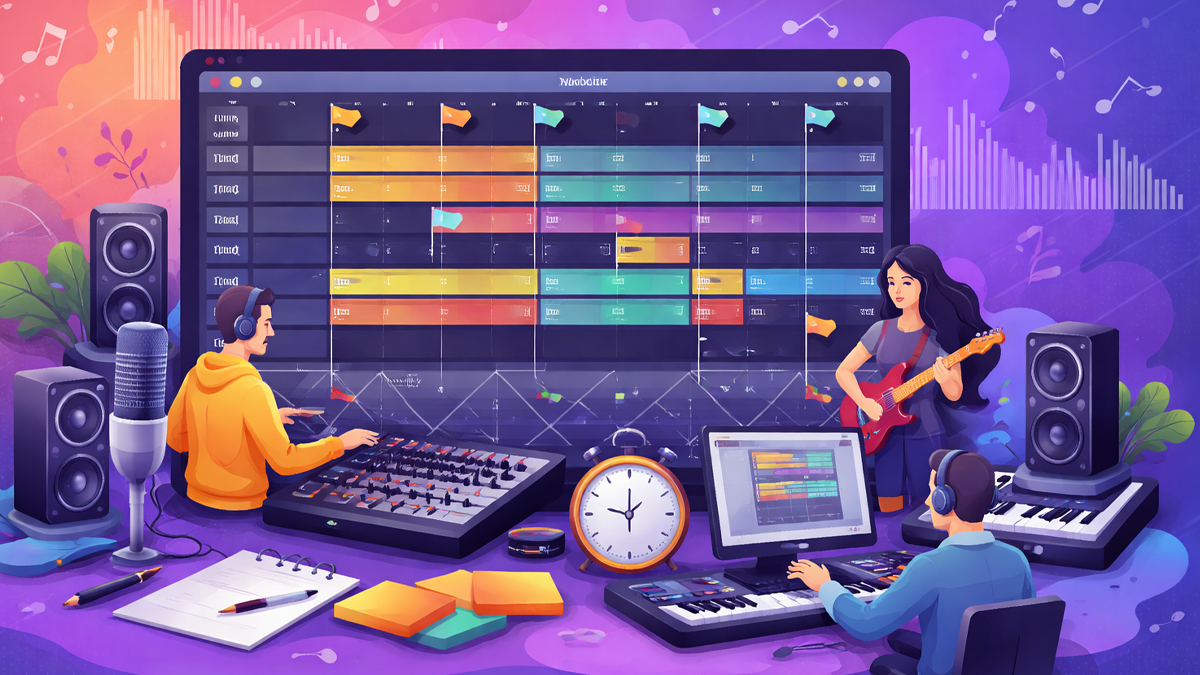
What It Looks Like: In many DAWs, markers appear as small flags, tabs, or labels along the top of the timeline. Some DAWs also support region markers, which cover a time range rather than a single point.
What It Is Not: A marker track does not usually produce sound by itself. It is not an audio track, and it does not store musical notes. Instead, it stores information about structure and timing, which makes the session easier to understand and easier to control.
Who Uses It: Producers use it to plan structure. Mix engineers use it to jump to problem sections quickly. Songwriters use it to sketch ideas and refine song form. Film and game composers use it to align music to picture and events.
How does DAWs Marker Track Work?
Marker Placement: A marker is created by choosing a time position on the timeline and adding a label. That label can describe what happens there, such as Verse starts, Vocal entry, Key change, Guitar solo, or Chorus ends.
Timeline Reference: Markers are anchored to the timeline, so they move when you change the arrangement. If you insert bars at the start, a well designed marker system will shift so the marker stays attached to the musical moment. This is especially reliable when the project uses musical time like bars and beats rather than absolute time.
Navigation Function: Once markers exist, you can jump between them using keyboard shortcuts, menus, or marker lists. This saves time compared to manual scrolling and zooming. Many DAWs also provide a marker window where you can click a marker name to move the playhead instantly.
Range Management: Some DAWs include region markers or arrangement markers that define a start and end point. These can be used for loop playback, selection export, or arrangement control, depending on the DAW.
Session Communication: Markers also work as communication tools. If you share a project with another person, markers explain the structure and highlight issues. For example, a marker named Check vocal pop can guide a collaborator to the exact place that needs attention.
Playback and Export Support: Markers can guide playback behavior in some workflows, such as quickly setting loop points for rehearsing a section. In certain DAWs and export formats, markers can also influence how stems are split or how sections are rendered, especially when region based export is supported.
What are the Components of DAWs Marker Track
Marker Data: Each marker contains a time position and a name. Some DAWs also store a color, an ID, and optional notes.
Marker Types: A typical system supports point markers and may also support range markers. Point markers mark a moment. Range markers describe a section.
Marker List or Manager: Most DAWs provide a panel that lists all markers in order. This panel allows renaming, reordering, searching, and jumping.
Keyboard Shortcuts: Fast navigation depends on shortcuts, such as next marker and previous marker. Many users customize these shortcuts to match their workflow.
Visual Layer on the Timeline: Markers appear in a consistent location, often above tracks, so the structure remains visible even when you scroll vertically through many tracks.
Synchronization With Tempo and Meter: In music projects, markers often follow bars and beats. If you change tempo or time signature, markers usually remain musically aligned when they are placed in musical time.
Integration With Loop and Selection Tools: In many DAWs, you can convert a marker range into a loop region or selection. This supports repetitive listening, editing, and focused mixing.
Project Sharing Compatibility: When sessions are exported or shared, marker compatibility depends on the DAW and file type. Some workflows keep markers inside the project file only, while others allow markers to travel with special export formats.
What are the Types of DAWs Marker Track
Point Markers: These mark a single instant, such as the start of the chorus, a drum fill, or a vocal pickup. They are the most common type and are mainly used for navigation.
Region Markers: These cover a time range, such as Verse, Chorus, Bridge, or Outro. They help you see the song form at a glance and can support loop based work.
Arrangement Markers: Some DAWs treat markers as part of an arrangement system, where each labeled section can be moved, duplicated, or reordered. This helps with experimenting quickly, such as trying an extra chorus or shortening an intro.
Cue Markers: In post production or scoring, markers can represent cues that correspond to picture events, like a scene cut, a character action, or a hit point that music must match.
Edit Markers: Some users create markers specifically for editing tasks, such as Clean breath, Fix timing, De ess, Remove noise, or Check phase. These markers act like a to do list inside the timeline.
Mix Review Markers: During mixing, markers may indicate review notes like Reduce harshness, Add delay throw, Automate reverb, or Adjust bass level. This keeps feedback organized and speeds up revisions.
Export and Delivery Markers: In certain workflows, markers can define parts for export, such as selecting ranges for stems, versions, or alternative edits, depending on what the DAW supports.
What are the Applications of DAWs Marker Track
Songwriting and Arrangement Planning: Markers help turn ideas into a complete song. You can label sections early and then build content for each section, which prevents getting lost in loops.
Editing and Comping: When comping vocals or instruments, markers can identify takes, phrases, and problem spots. This lets you jump directly to a line that needs correction without searching.
Mixing Workflow: Mixing often requires repeated checks of specific moments, such as loud sibilance, kick and bass clashes, or a reverb tail that feels too long. Markers reduce the time spent locating those moments.
Mastering Preparation: Before mastering, markers can label transitions, fade points, silence trimming, and reference checks. They can also help when preparing multiple versions like radio edit, instrumental, and clean version.
Film and Game Scoring: Markers can match music to picture events. By marking scene changes and important actions, the composer can align musical accents and transitions precisely.
Podcast and Voice Production: In spoken word editing, markers can label segments, ad breaks, retakes, mistakes, and key talking points. This is extremely useful when episodes are long.
Live Performance Preparation: For performers using a DAW on stage, markers can map set sections and guide navigation for backing tracks, scene launches, or transitions.
Collaboration and Client Feedback: When clients give notes like reduce vocal delay in chorus, markers can store those notes in the exact location. This simplifies revisions and reduces misunderstandings.
Sound Design and Post Production: Markers can label Foley hits, dialogue fixes, ambience changes, and effect entries, helping teams work quickly under deadlines.
What is the Role of DAWs Marker Track in Music Industry
Speed and Efficiency: In professional production, time matters. Marker tracks reduce wasted time searching for sections, which increases productivity and lowers session fatigue.
Consistency Across Teams: Many projects involve producers, vocal editors, mix engineers, and mastering engineers. Markers provide a shared language about structure, such as Verse two or Pre chorus, making teamwork smoother.
Better Decision Making: When the structure is clearly labeled, it becomes easier to judge pacing and energy. You can quickly compare the length of sections and evaluate whether the chorus arrives soon enough.
Cleaner Feedback Cycles: Clients often give notes by time or by section. Markers translate those notes into clear locations. This helps deliver revisions faster and with fewer mistakes.
Quality Control: Markers can be used for checklist style listening passes. For example, you can mark sections to check low end, vocal clarity, stereo width, and transitions. This improves consistency.
Support for Deadlines: In commercial music, deadlines can be tight. Marker based navigation allows quick targeted fixes, which is crucial when delivering music for ads, trailers, or streaming releases.
Education and Training: In teaching environments, marker tracks help students understand arrangement and production steps. Teachers can guide learners through an organized session without losing time.
Archiving and Reuse: When sessions are revisited months later, markers make the project readable again. This is important in industry settings where projects may need updates, remixes, or alternate versions long after the first release.
What are the Objectives of DAWs Marker Track
Improve Project Organization: The main objective is to make the timeline understandable. Markers create a visible structure that tells the story of the song from start to finish.
Enable Fast Navigation: Another core objective is quick movement between important points. This is especially valuable during editing and mixing, where you may revisit the same moments many times.
Support Creative Experimentation: By labeling sections, you can rearrange ideas confidently. You can try different forms, compare versions, and keep track of choices without confusion.
Reduce Cognitive Load: A complex session can overwhelm the mind. Markers externalize the plan, so you do not have to remember where everything is.
Facilitate Collaboration: Markers help multiple people communicate about the same project. The objective is shared clarity, so notes and changes happen faster.
Improve Accuracy: By jumping directly to the correct location, you reduce the chance of editing the wrong section or applying automation to the wrong part.
Build a Repeatable Workflow: Many professionals follow consistent steps. Marker tracks support a repeatable template that can be reused across projects, improving speed and reliability.
Assist Delivery and Versioning: When exporting different versions, markers can help define ranges and ensure that edits like intros, fades, and endings are consistent.
What are the Benefits of DAWs Marker Track
Faster Workflow: The most obvious benefit is speed. You spend less time scrolling and more time creating, editing, and refining sound.
Clear Song Structure: Markers make the arrangement visible. Even a quick glance can show whether the song is balanced, where energy peaks, and how sections relate.
Better Focus During Editing: When you are fixing timing, pitch, noise, or clicks, markers let you stay in a focused loop. You can isolate a problem and solve it without getting distracted.
Improved Mix Consistency: Mix moves often depend on section context. With markers, you can compare chorus levels across the song and confirm that repeated sections match.
Reduced Errors: Markers reduce mistakes like editing the wrong chorus or exporting the wrong range. Clear labels guide actions.
Smoother Collaboration: When sharing sessions, markers communicate intent. A collaborator can immediately understand structure and priorities.
Easier Revisions: Feedback often arrives as a list of changes. Markers turn that list into actionable points inside the timeline, making revisions predictable.
Better Time Management: In professional sessions, you can plan time per section. Markers help you track progress, such as editing verse vocals first, then chorus vocals, then transitions.
Improved Learning Curve: For beginners, markers provide guidance. They encourage thinking in sections, which is a big step toward professional arrangement and production habits.
What are the Features of DAWs Marker Track
Quick Add and Edit: Most marker systems allow instant creation, renaming, and deletion. This encourages frequent use because it does not interrupt creativity.
Marker Navigation Commands: Features commonly include next marker, previous marker, and jump to selected marker. This turns markers into a navigation system rather than just labels.
Marker List With Sorting: A marker manager can display markers in order and allow quick access. Some systems also support searching by name.
Color and Visual Customization: Many DAWs let you color markers or regions. This can separate structure markers from task markers, making the timeline easier to read.
Region Loop Support: When region markers are supported, you can often loop a region quickly, which is helpful for editing and mix checks.
Snap to Musical Grid: Markers often snap to bars, beats, or timecode. This helps keep labels aligned with musical structure.
Integration With Arrangement Tools: In DAWs that support it, markers can connect to arrangement functions, letting you move sections as blocks.
Notes and Comments: Some marker systems allow extra text notes. This is useful for mix notes, client feedback, or reminders for later.
Compatibility With Tempo and Time Signature Changes: A good marker system remains stable when the tempo map changes, which is essential for film scoring and complex arrangements.
Project Template Support: Many producers create templates with markers already placed for common structures. This feature supports fast starts and consistent workflows.
What are the Examples of DAWs Marker Track
Pop Song Structure Example: A producer might place markers for Intro, Verse one, Pre chorus, Chorus, Verse two, Pre chorus, Chorus, Bridge, Final chorus, Outro. This makes the session readable and helps keep arrangement decisions clear.
Electronic Music Build Example: A dance track may use markers like Groove start, Build up, Tension rise, Drop, Breakdown, Second build, Final drop, Ending. These markers help manage energy and automation.
Vocal Editing Example: A vocal editor might create markers like Breath cleanup, Timing fix, Pitch check, Plosive removal, Sibilance control. Each marker points to a specific issue so the editor can work systematically.
Mix Review Example: During mix notes, a marker track might include labels like Vocal too loud, Snare harsh, Bass clashes with kick, Reverb tail long, Delay throw needed. This turns feedback into clear locations.
Film Scoring Example: A composer scoring to picture might place markers at scene changes, hits, and emotional shifts. Labels could include Door slam hit, Cut to wide shot, Dialogue starts, Chase begins, Scene ends. These markers help align musical cues.
Podcast Editing Example: A podcast session may have markers for Intro music, Topic one start, Ad break, Listener question, Closing summary, Outro music. This keeps the edit organized and makes exporting segments easier.
Live Set Example: For a live performance session, markers can label transitions between songs or sections where a performer needs to trigger a change. This reduces stress and keeps the show flowing smoothly.
What is the Definition of DAWs Marker Track
Formal Definition: A DAWs marker track is a non audio organizational track or timeline layer within a Digital Audio Workstation that stores labeled time references, either as points or ranges, to support navigation, arrangement management, editing precision, and communication within a project.
Key Elements in the Definition: It is non audio, meaning it does not generate sound. It stores time references, meaning it is anchored to the timeline. It uses labels, meaning it adds human readable meaning to locations. It supports workflow functions, meaning it is used to move faster and work more accurately.
Scope of Use: The definition applies across music production, post production, and any DAW based workflow where timeline organization matters.
What is the Meaning of DAWs Marker Track
Practical Meaning: The marker track means clarity. It is the difference between guessing where the chorus starts and knowing it instantly.
Creative Meaning: It also means freedom. When you are not worried about getting lost in the session, you can focus on creative choices like melody, groove, texture, and emotion.
Workflow Meaning: In daily use, it means faster decisions. You can compare sections, repeat checks, and complete revisions without wasting mental energy on navigation.
Communication Meaning: For teams, the marker track means shared understanding. Everyone can talk about the same section names and find them immediately.
Long Term Meaning: Over time, it becomes a habit that improves session hygiene. Clean sessions are easier to finish, easier to revisit, and easier to deliver professionally.
What is the Future of DAWs Marker Track
Smarter Marker Suggestions: Future DAWs may automatically suggest markers by detecting song sections, such as verses and choruses, using pattern recognition on drums, harmony, and energy changes. This could help creators organize projects faster, especially beginners.
Deeper Integration With Arrangement Tools: Marker tracks are likely to become more connected to arrangement features, allowing easier section duplication, quick shortening, and version comparisons inside the same project.
Collaboration First Marker Systems: As cloud collaboration grows, marker tracks may include threaded comments, assignments, and status updates, turning markers into mini project management tools inside the DAW.
Better Interchange Between DAWs: A common challenge is moving a project between DAWs while keeping organization intact. Future workflows may improve marker portability so labels and regions remain consistent across tools.
More Visual Structure Views: Marker tracks may expand into richer arrangement maps that display song form like a storyboard, making structure planning more intuitive for music, podcasts, and picture based work.
Integration With Live Performance Control: Marker systems may connect more directly to live set control, allowing a performer to use markers to trigger scenes, automation changes, or external hardware cues.
Accessibility Improvements: DAWs may provide better marker navigation for users who rely on keyboard control and screen readers, making organization tools more inclusive.
AI Assisted Mix and Edit Notes: Marker tracks could become the place where AI tools drop detected issues, such as clipping, harsh frequencies, timing drift, or noise events, giving editors a guided list of fixes.
Summary
- A DAWs marker track is an organizational timeline layer that stores labeled points or ranges for navigation and structure.
- It helps producers, editors, and engineers move quickly to important moments like verses, choruses, edits, and transitions.
- Marker tracks improve clarity, reduce mistakes, and speed up editing, mixing, revisions, and collaboration.
- Common marker types include point markers, region markers, arrangement markers, cue markers, and task based markers.
- Real world uses include songwriting, film scoring, podcast editing, live performance prep, and client feedback management.
- The future is likely to include smarter automatic markers, stronger collaboration features, and better integration with arrangement and AI tools.

